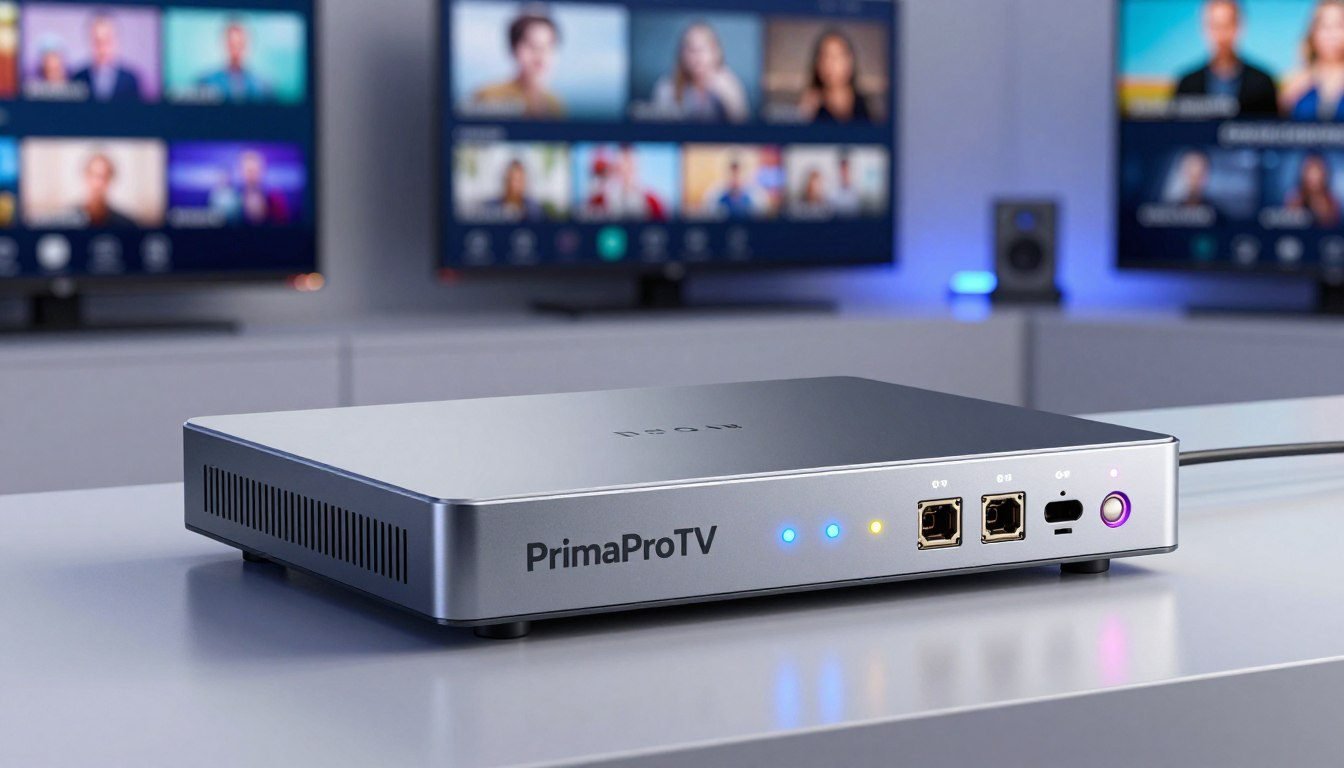
Have you ever wondered why your favorite live broadcast suddenly stutters or loses quality during peak viewing hours? Achieving a flawless viewing experience across United States networks requires more than just a fast internet connection. It demands the right hardware to manage your data streams efficiently.
This guide helps you navigate the complex world of selecting a reliable iptv encoder for your specific needs. We will carefully compare encoding performance, hardware compatibility, and latency issues to ensure your content reaches viewers without interruption.
Choosing the correct equipment is vital for maintaining high-quality standards in a competitive digital landscape. If you need expert assistance with your setup, please reach out to our team at +1(605)846-9971 or send an email to support@primaprotv.cloud for personalized guidance.
Key Takeaways
- Understand the critical role of hardware in maintaining stream stability.
- Compare key performance metrics like latency and encoding efficiency.
- Ensure your chosen device is fully compatible with US network standards.
- Learn how to optimize your setup for a professional-grade broadcast.
- Access professional support by calling +1(605)846-9971 for technical help.
What an IPTV Encoder Does for US Streaming
Transforming raw camera footage into a streamable format requires precise technical handling by an iptv encoder. This device acts as the bridge between your physical production equipment and the digital networks that carry your content to viewers across the United States.
By capturing signals from cameras, production switchers, or satellite receivers, the hardware prepares data for efficient internet delivery. If you have specific technical questions regarding your setup, please reach out to us at +1(605)846-9971 or email support@primaprotv.cloud for expert guidance.
How an IPTV Encoder Converts Video for Internet Delivery
A professional video encoder takes uncompressed video signals and converts them into a compressed digital format. This process is vital because raw video files are far too large to transmit over standard internet connections in real-time.
The device uses sophisticated algorithms to remove redundant data while maintaining visual fidelity. Once compressed, the video is packaged into protocols like RTMP or SRT, allowing it to travel smoothly across global networks to your audience.
The Difference Between Encoding, Transcoding, and Streaming
It is common to confuse these three terms, yet they perform distinct roles in your workflow. Encoding is the initial act of turning raw video into a compressed digital stream.
Transcoding occurs when you take an already encoded file and convert it into different resolutions or bitrates to suit various devices. Finally, streaming is the actual delivery process that pushes the processed data to the end-user’s screen.
Why Stable Encoding Matters for IPTV Viewers
Reliability is the cornerstone of a successful broadcast. A stable video encoder ensures that your stream remains consistent, preventing the dreaded buffering or pixelation that frustrates viewers.
When your hardware processes data efficiently, it minimizes latency and keeps the audio perfectly synced with the video. Investing in high-quality gear ensures your audience enjoys a seamless viewing experience every time they tune in.
How to Choose an IPTV Encoder for Smooth Streaming
If you want to ensure smooth streaming, you must carefully evaluate the capabilities of your multimedia encoder. Selecting the right hardware is the most critical step in building a professional streaming workflow that stands the test of time. Whether you are managing a local broadcast or a corporate network, the following checklist will help you make an informed decision.
Input Sources, Resolution, and Frame-Rate Support
Your live streaming encoder must support the specific video inputs used in your production environment. Most professional units offer HDMI or SDI connectivity to ensure compatibility with cameras and switchers. Always verify that the device supports your desired resolution, such as 1080p or 4K, and the necessary frame rates for fluid motion.
Bitrate Control, Latency, and Rate Adaptation
Managing bandwidth is essential for preventing buffering during high-traffic periods. A high-quality multimedia encoder provides granular control over bitrate settings, allowing you to balance visual quality with network constraints. Look for devices that offer low-latency modes and adaptive bitrate streaming to maintain a stable connection even when network conditions fluctuate.
“Reliability in the signal chain is not just a luxury; it is the foundation of a professional viewing experience that keeps your audience engaged.”
Connectivity, Protocols, and Platform Compatibility
Modern streaming requires support for various delivery protocols to reach diverse platforms. Ensure your hardware supports RTMP for social media and SRT for secure, low-latency point-to-point delivery. Compatibility with major content delivery networks (CDNs) is also vital for seamless integration into your existing infrastructure.
| Feature Category | Key Consideration | Performance Impact |
|---|---|---|
| Input Support | SDI/HDMI/IP | High Flexibility |
| Protocol Support | RTMP/SRT/RTSP | Broad Compatibility |
| Management | Web UI/Cloud | Operational Ease |
Hardware Reliability, Cooling, and Remote Management
For 24/7 operations, hardware durability is non-negotiable. Choose a live streaming encoder with robust cooling systems to prevent overheating during long broadcasts. Furthermore, remote management features allow you to monitor and adjust settings from anywhere, which is a major advantage for busy operators.
If you need further clarification on system requirements or specific hardware configurations, please reach out to our team. You can contact us at +1(605)846-9971 or send an email to support@primaprotv.cloud for expert guidance.
Best IPTV Encoder Options for American Streaming Workflows
Navigating the landscape of modern video distribution begins with identifying the right tools for your unique streaming environment. Whether you are upgrading an existing facility or building a new network, the choice of a broadcast encoder significantly impacts your final output quality.
How the Recommended Encoders Were Evaluated
Our team analyzed each streaming encoder based on rigorous performance standards to ensure reliability for American users. We focused on five critical pillars that define a successful deployment:
- Image Quality: Maintaining high fidelity during compression.
- Protocol Support: Compatibility with SRT, RTMP, and HLS standards.
- Operating Stability: The ability to run 24/7 without failure.
- Workflow Fit: Ease of integration into existing production chains.
- Management Effort: Intuitive interfaces for remote monitoring and control.
Use Cases Covered in This Guide
This guide provides tailored advice for a wide range of professional sectors across the United States. We recognize that different organizations have distinct requirements for their video infrastructure.
Our recommendations support the following groups:
- Local television stations and regional broadcasters.
- Corporate networks and internal communication teams.
- Event producers managing live sports or concerts.
- Educational institutions and remote learning centers.
- Houses of worship streaming services to global audiences.
- Multichannel IPTV distribution teams.
If you require personalized assistance with your specific setup, please reach out to our team. You can contact us at +1(605)846-9971 or send an email to support@primaprotv.cloud for expert guidance.
Choosing Between Dedicated Hardware and Software Encoding
Deciding between a dedicated hardware unit and a software-based solution is a common challenge. Hardware encoders offer superior stability and are purpose-built for continuous operation, making them ideal for mission-critical broadcasts.
Software solutions often provide more flexibility and lower initial costs, but they rely heavily on the stability of the host computer. For most professional IPTV workflows, we recommend dedicated hardware to ensure consistent performance and reduced latency.
Magewell Ultra Encode AIO
For professionals seeking a flexible appliance, the Magewell Ultra Encode AIO offers impressive multi-input capabilities for demanding streaming environments. This device serves as a central hub for various video sources, ensuring that your content reaches its destination with high reliability. As a powerful h.264 encoder, it simplifies the transition from raw video to polished digital streams.
Overview of the Magewell Ultra Encode AIO
The unit is designed to handle diverse workflows by supporting multiple input types and delivery protocols simultaneously. It provides operators with granular control over bitrate, resolution, and frame rates to meet specific network requirements. Whether you are managing a local broadcast or a global web stream, this hardware adapts to your unique technical needs.
Key Features
- Supports multiple input interfaces including HDMI and SDI.
- Advanced h.264 encoder capabilities for efficient bandwidth usage.
- Comprehensive support for RTMP, SRT, and RTSP protocols.
- Integrated monitoring tools for real-time stream health checks.
Pros
The primary strength of this device lies in its exceptional versatility. It allows users to switch between different streaming platforms without needing to reconfigure the entire hardware chain. Furthermore, the build quality ensures consistent performance during long-duration broadcasts.
Cons
While the device is highly capable, the initial setup process may require a learning curve for those unfamiliar with advanced network protocols. Additionally, the premium feature set comes at a price point that may be significant for smaller independent operators.
Best Use Cases and Recommendations
This unit is ideal for organizations that require a reliable h.264 encoder for multichannel distribution. It excels in corporate environments, educational institutions, and professional sports production where signal stability is paramount. If you need assistance integrating this hardware into your existing workflow, please reach out to our team at +1(605)846-9971 or email support@primaprotv.cloud for expert guidance.
AJA HELO Plus
When building a robust streaming workflow, the AJA HELO Plus offers a unique blend of hardware-based encoding and recording. This device serves as a critical bridge between raw video sources and digital distribution platforms. It provides the stability required for professional environments where downtime is not an option.
Overview of the AJA HELO Plus
The AJA HELO Plus is a powerful, dual-channel streaming and recording device designed for high-end production. It allows users to capture video from SDI or HDMI sources while simultaneously streaming to multiple destinations. As a high-performance hevc encoder, it ensures that your video quality remains sharp while keeping bandwidth usage efficient.
Key Features
- Dual-channel streaming: Stream to two different destinations at once with independent settings.
- Layout flexibility: Combine multiple inputs into a single output for professional-looking presentations.
- HEVC and H.264 support: Offers versatile codec options to balance quality and compatibility.
- Local recording: Save high-quality files directly to USB or network storage for post-production.
Pros
The primary advantage of this unit is its exceptional reliability. It is built to run for extended periods without overheating or crashing. Furthermore, the interface is intuitive, allowing operators to manage complex streams with minimal effort.
Cons
While the performance is top-tier, the initial investment is higher than entry-level software solutions. Additionally, users may face a slight learning curve when configuring advanced layout features for the first time. If you need assistance with setup, please reach out to us at +1(605)846-9971 or email support@primaprotv.cloud.
Best Use Cases and Recommendations
This device is ideal for live event production, corporate boardrooms, and educational institutions. It is particularly useful for organizations that need to compare a modern hevc encoder with more traditional, broadly compatible alternatives. We recommend this unit for any professional workflow that demands consistent, high-quality video delivery across multiple platforms.
Epiphan Pearl Nano
Organizations looking for reliable encoding hardware often turn to the Epiphan Pearl Nano for its unique blend of size and performance. This compact appliance is designed to bridge the gap between simple capture cards and massive, rack-mounted broadcast systems.
Overview of the Epiphan Pearl Nano
The Pearl Nano provides a streamlined workflow for video professionals who need to capture and stream high-quality content without a complex setup. It acts as a dedicated bridge, allowing users to ingest video sources and push them directly to content delivery networks or local servers.
Key Features
- HDMI input and loop-through for seamless integration with cameras and switchers.
- Built-in LCD screen for monitoring and basic configuration.
- Support for SRT, RTMP, and RTMPS protocols to ensure broad compatibility.
- Integrated SD card slot for local recording and backup.
Pros
The primary advantage of this encoding hardware is its extreme portability. It fits easily into a backpack, making it ideal for field production. Furthermore, the user interface is intuitive, allowing operators to manage streams with minimal training.
Cons
While powerful, the device has a limited number of physical inputs compared to larger, multi-channel encoders. Users who require complex multi-camera switching might find the single-input design restrictive for certain high-end broadcast scenarios.
Best Use Cases and Recommendations
This unit is perfect for small production teams, houses of worship, and corporate communication departments. It excels in remote contribution workflows where a stable, dedicated appliance is preferred over software-based solutions.
If you require assistance with your deployment or need help optimizing your stream, please reach out to our team. You can contact us at +1(605)846-9971 or send an email to support@primaprotv.cloud for expert guidance.
Teradek Cube 755
When mobility and reliability are non-negotiable, the Teradek Cube 755 provides an exceptional solution for live video contribution. This streaming encoder is engineered specifically for field production, where traditional rack-mounted gear is often too bulky or impractical to deploy.
Overview of the Teradek Cube 755
The Teradek Cube 755 is a high-performance device that excels in mobile environments. It allows broadcasters and content creators to transmit high-quality video over challenging network conditions with ease. Unlike fixed hardware, this unit is designed to be carried into the heart of the action.
“The ability to transmit broadcast-quality video from virtually anywhere is what makes the Cube series a staple in modern field production workflows.”
Key Features
This device supports HEVC (H.265) compression, which significantly reduces bandwidth requirements without sacrificing visual fidelity. It also features robust network bonding capabilities, ensuring that your stream remains stable even when cellular or Wi-Fi signals fluctuate. The unit is built with a rugged chassis to withstand the rigors of outdoor production.
Pros
- Exceptional portability for on-the-go production teams.
- Advanced HEVC encoding for efficient data usage.
- Reliable network bonding to prevent stream drops.
- Low-latency performance suitable for live interviews.
Cons
While powerful, the Teradek Cube 755 comes with a premium price tag that may challenge smaller production budgets. Additionally, the advanced feature set requires a moderate learning curve for operators who are new to professional streaming encoder technology.
Best Use Cases and Recommendations
This device is ideal for live news gathering, sports coverage, and remote event production where a fixed setup is impossible. If you need guidance on whether this unit fits your specific workflow, please reach out to our team at +1(605)846-9971 or email support@primaprotv.cloud for expert advice.
| Feature | Benefit | Performance |
|---|---|---|
| HEVC Support | Bandwidth Efficiency | High |
| Network Bonding | Connection Stability | Excellent |
| Form Factor | Portability | Compact |
Blackmagic Web Presenter HD
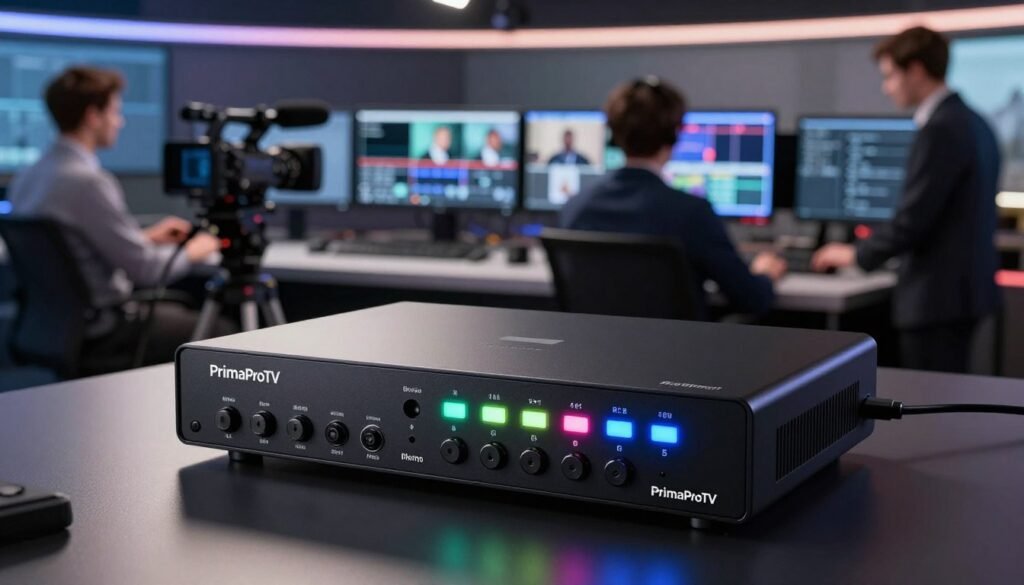
If you need a reliable live streaming encoder that simplifies your production workflow, the Blackmagic Web Presenter HD is a top contender. This compact device acts as a dedicated bridge between your professional video equipment and the internet, ensuring your broadcast remains stable and clear.
Overview of the Blackmagic Web Presenter HD
The Blackmagic Web Presenter HD is designed to convert professional SDI video sources into high-quality streams for platforms like YouTube, Facebook, and Twitch. It functions as a standalone live streaming encoder, meaning it handles the heavy lifting of video compression without requiring a powerful computer to process the signal.
One of its most unique features is the ability to act as a USB webcam. By connecting the device to a computer via USB, your streaming software will recognize it as a standard webcam, allowing for seamless integration with video conferencing tools.
Key Features
- 12G-SDI input with support for various resolutions up to 1080p60.
- Built-in front panel with an LCD screen for monitoring video, audio levels, and network status.
- Dual power options, including AC and DC, for maximum reliability during long events.
- Advanced streaming controls that allow for direct RTMP delivery to your chosen platform.
Pros
The primary advantage of this live streaming encoder is its extreme reliability. Because it is a dedicated hardware unit, it avoids the common crashes associated with software-based encoding. It is also incredibly easy to set up, making it ideal for users who need to get on air quickly.
Cons
While powerful, the device is limited to SDI inputs, which may require adapters for HDMI-only cameras. It also lacks some of the advanced multi-bitrate transcoding features found in more expensive, high-end contribution devices.
Best Use Cases and Recommendations
This unit is perfect for presenters, educators, and small event teams who prioritize simplicity and stability. It is an excellent choice for corporate meetings or classroom broadcasts where professional results are required without a complex technical setup.
If you need assistance configuring your hardware or have questions about your specific workflow, please reach out to our team. You can contact us at +1(605)846-9971 or send an email to support@primaprotv.cloud for expert guidance.
Kiloview E3 Streaming Encoder
For teams seeking a high-performance multimedia encoder, the Kiloview E3 provides a comprehensive toolset for live production and network delivery. This device excels at managing complex video workflows by combining high-quality encoding with flexible source management.
Overview of the Kiloview E3
The Kiloview E3 is a dual-channel video encoder that supports both HDMI and SDI inputs. It allows users to encode two video sources simultaneously, making it an ideal choice for multi-camera setups or redundant streaming requirements.
Beyond simple encoding, this unit functions as a powerful multimedia encoder that supports various protocols like SRT, RTMP, and RTSP. It also features built-in recording capabilities, ensuring that your high-quality content is captured locally while being distributed across the web.
Key Features
- Dual-channel encoding: Simultaneous processing of HDMI and SDI signals.
- Protocol versatility: Full support for SRT, RTMP, RTMPS, RTSP, and UDP.
- Integrated recording: Local storage options for immediate backup of live streams.
- Advanced monitoring: Real-time visual feedback and system health tracking.
Pros
The primary advantage of the E3 is its exceptional reliability during long-form broadcasts. It offers a stable platform for professional users who cannot afford downtime during critical events.
Additionally, the device is highly portable, allowing for quick deployment in mobile production environments. Its intuitive web interface simplifies the configuration process for complex network routing.
Cons
While powerful, the E3 may present a steeper learning curve for beginners compared to basic plug-and-play devices. The advanced feature set requires a solid understanding of network protocols to maximize its potential.
Best Use Cases and Recommendations
This encoder is perfectly suited for live sports production, corporate town halls, and educational broadcasting. Organizations looking to validate if this hardware fits their specific infrastructure should reach out for expert guidance.
You can verify compatibility with your existing network by calling +1(605)846-9971 or emailing support@primaprotv.cloud. Our team can help you determine if this multimedia encoder meets your specific bandwidth and latency requirements.
| Feature | Specification | Benefit |
|---|---|---|
| Input Support | HDMI & SDI | High compatibility |
| Max Resolution | 1080p60 | Smooth motion |
| Streaming Protocols | SRT, RTMP, RTSP | Broad distribution |
| Recording | USB/SD Card | Local backup |
Haivision Makito X Series
The Haivision Makito X series represents the gold standard for mission-critical video streaming workflows. Designed for demanding environments, this broadcast encoder provides the stability and performance required by major media organizations and enterprise networks.
Overview of the Haivision Makito X Series
The Makito X series is engineered for high-performance video contribution and distribution. It excels in scenarios where low latency and dependable transport are non-negotiable requirements for success.
Key Features
- Support for both H.264 and HEVC codecs to balance quality and bandwidth.
- Advanced SRT (Secure Reliable Transport) protocol integration for stable delivery over unpredictable networks.
- Multi-stream capabilities allowing for simultaneous encoding of various profiles.
- Enterprise-grade monitoring and remote management tools for large-scale deployments.
Pros
The primary advantage of this broadcast encoder is its extreme reliability in complex network architectures. It offers unmatched low-latency performance, which is vital for live sports and remote production. Furthermore, the hardware is built to withstand continuous operation in professional broadcast facilities.
Cons
While powerful, the Makito X series comes with a higher price point compared to entry-level solutions. Users may also face a steeper learning curve due to the advanced configuration options required for enterprise-level setups.
Best Use Cases and Recommendations
This series is ideal for local television stations, national broadcasters, and corporate networks that require flawless video contribution. It is particularly effective for multi-channel distribution where synchronization and uptime are critical.
“Reliability in the field is the difference between a successful broadcast and a technical failure. The Makito X series provides the peace of mind that professionals demand.”
Before making a purchase, we recommend evaluating your specific network architecture and support needs. Please reach out to our team at +1(605)846-9971 or email support@primaprotv.cloud to ensure this broadcast encoder aligns with your operational goals.
How the Leading Video Encoders Compare
Comparing professional streaming gear involves more than just looking at the price tag on the box. To build a robust network, you must evaluate how each video encoder handles your specific source material and delivery requirements. Making an informed choice requires balancing technical performance against long-term operational needs.
Comparison of Resolution, Codec, and Input Support
Modern workflows demand flexibility, especially when dealing with various camera outputs and display standards. High-end units often support 4K resolution, while others focus on optimized 1080p delivery for mobile and web audiences. The following table highlights the core differences between top-tier hardware options.
| Device | Max Resolution | Codec Support | Primary Inputs |
|---|---|---|---|
| Magewell Ultra Encode | 4K | H.264/HEVC | HDMI/SDI |
| AJA HELO Plus | 1080p60 | H.264 | HDMI/SDI |
| Epiphan Pearl Nano | 1080p60 | H.264/HEVC | HDMI/SDI |
Comparison of Latency, Streaming Protocols, and Reliability
Latency is a critical factor for live events where real-time interaction is necessary. A professional streaming encoder should support low-latency protocols like SRT to ensure stable delivery over unpredictable public networks. Reliability also depends on the device’s ability to handle network jitter and packet loss without dropping the stream.
Hardware stability is often determined by the internal cooling system and the robustness of the firmware. Units that offer redundant power inputs and dual network ports provide the highest level of uptime for mission-critical broadcasts. Always prioritize devices that offer remote management interfaces to monitor performance in real-time.
Comparison of Pricing Factors and Operating Costs
Purchase price alone does not reflect the total cost of ownership for your infrastructure. You must account for hidden expenses such as software licensing, specialized accessories, and ongoing maintenance. Furthermore, the time required for your staff to configure and troubleshoot the equipment adds significant value to the final investment.
Bandwidth consumption also plays a role in your monthly operating budget, especially when scaling to multiple channels. If you need help matching specific hardware capabilities to your unique workflow, our team is ready to assist. Please reach out to us at +1(605)846-9971 or send an email to support@primaprotv.cloud for expert guidance on your next project.
H.264 Encoder or HEVC Encoder: Which Codec Is Better?
Selecting between an h.264 encoder and an hevc encoder can significantly influence your viewer’s experience. Each codec serves a unique purpose in the modern digital landscape, and the right choice depends on your specific infrastructure and audience reach.
When H.264 Provides the Best Compatibility
The H.264 standard, also known as AVC, remains the industry workhorse for a reason. It offers unmatched compatibility across virtually every device manufactured in the last decade, including older smart TVs, mobile phones, and web browsers.
If your primary goal is to reach the widest possible audience without worrying about hardware limitations, an h.264 encoder is the safest choice. It ensures that your stream plays smoothly on legacy systems that may not have the processing power to decode newer, more complex formats.
When HEVC Reduces Bandwidth and Storage Requirements
The HEVC codec, or H.265, represents the next generation of video compression technology. It is designed to deliver the same visual quality as H.264 but at roughly half the bitrate, which leads to significant bandwidth savings.
Using an hevc encoder is highly beneficial for high-resolution content, such as 4K or HDR streams. By reducing the data load, you can lower your monthly transit costs and provide a superior viewing experience for users with limited internet speeds.
Device, Platform, and Subscriber Compatibility Considerations
While HEVC offers superior efficiency, it requires modern hardware for decoding. Before committing to a specific workflow, you must verify that your target subscriber devices support the codec you intend to use.
Many streaming platforms now support both formats, but your end-to-end delivery chain must be fully compatible to avoid playback errors. If you are unsure about your specific network requirements, please reach out to our team at +1(605)846-9971 or email support@primaprotv.cloud for expert guidance.
We can help you evaluate your current hardware and determine if an hevc encoder or a traditional h.264 encoder is the best fit for your specific IPTV deployment.
Encoding Hardware for Different US IPTV Applications
Whether you are managing a local news station or a corporate network, your choice of encoder defines your stream’s success. Selecting the right encoding hardware depends heavily on the specific demands of your unique streaming environment. Different applications require varying levels of redundancy, input density, and portability to maintain a professional standard.
Best Setup for Local Television Stations and Broadcasters
Local broadcasters require a robust broadcast encoder that prioritizes uninterrupted uptime. These setups typically rely on high-end SDI inputs and redundant power supplies to handle 24/7 operations. Reliability is the primary concern, ensuring that the signal remains stable even during complex live transitions.
Best Setup for Churches, Schools, and Corporate Networks
For houses of worship and educational institutions, the focus shifts toward ease of use and remote management. These environments benefit from hardware that integrates seamlessly with existing network infrastructure. Simplified interfaces allow non-technical staff to manage streams without needing a dedicated broadcast engineer on-site.
Best Setup for Sports, Events, and Mobile Production
Mobile production requires compact and rugged encoding hardware that can withstand the rigors of travel. Low latency is essential for sports, where every millisecond counts for the viewer experience. These units often feature battery-powered options and cellular bonding to ensure connectivity in remote locations.
Best Setup for Multichannel IPTV Distribution
Managing multiple streams simultaneously requires high-density solutions that offer centralized control. These systems allow operators to monitor several channels from a single dashboard, significantly reducing operational complexity. If you need assistance choosing the right equipment for your specific project, please reach out to us at +1(605)846-9971 or email support@primaprotv.cloud for expert guidance.
How to Configure a Live Streaming Encoder for Reliable Delivery
A reliable broadcast begins with the precise configuration of your transmission hardware. Whether you are managing a local church service or a professional sports event, the setup process determines the quality of the final output. Following a structured workflow helps prevent common technical errors during your broadcast.
Connect the Camera, Switcher, or Video Source
The first step involves establishing a solid physical connection between your source and the video encoder. Ensure that your HDMI or SDI cables are securely seated in the input ports. If you are using a switcher, verify that the output signal matches the input requirements of your device.
- Check cable integrity to avoid signal drops.
- Confirm that the source device is outputting a clean, non-interlaced signal.
- Power on your equipment in the correct sequence to ensure proper handshake protocols.
Select Resolution, Frame Rate, Codec, and Bitrate
Once the signal is detected, you must optimize your encoding parameters. Choosing the right h.264 encoder settings is vital for balancing visual quality with bandwidth constraints. Most professional workflows utilize 1080p at 30 or 60 frames per second for a smooth viewing experience.
Adjust your bitrate based on your available upload speed. A common rule is to set your bitrate at approximately 70% of your total sustained upload capacity. This provides a safety buffer for network fluctuations.
Configure RTMP, SRT, or Other Delivery Protocols
Your live streaming encoder needs specific instructions on where to send the data. You will typically input a stream URL and a stream key provided by your content delivery network or platform. Modern setups often prefer SRT for its superior error correction over standard RTMP.
Ensure that your firewall settings allow traffic on the necessary ports. If you encounter connectivity issues, our team is ready to assist you. You can reach us at +1(605)846-9971 or via email at support@primaprotv.cloud for expert guidance.
Test Bandwidth, Audio Sync, and Playback Before Going Live
Never skip the pre-broadcast test phase. Use a speed test tool to verify that your network can handle the chosen bitrate consistently. Check your audio levels to ensure they are peaking correctly without distortion or sync issues.
Finally, perform a private test stream to a secondary device. This confirms that the video encoder is successfully pushing the stream to your destination platform. Verifying these elements ensures your audience enjoys a seamless experience from start to finish.
Common IPTV Encoder Problems and Practical Fixes
Technical glitches are an unfortunate reality of digital broadcasting, but most can be resolved with a systematic approach. Whether you are managing a local station or a corporate network, identifying the root cause of a failure is the first step toward restoration. A high-quality multimedia encoder is designed for stability, yet external factors often influence overall performance.
Reducing Buffering Caused by Insufficient Upload Bandwidth
Buffering is frequently the result of a mismatch between your stream bitrate and your available upload speed. If your network cannot sustain the data throughput required by your settings, the viewer experience will suffer immediately. Always ensure your upload capacity is at least 30% higher than your target bitrate to account for network fluctuations.
Fixing Dropped Frames, Overheating, and Processing Errors
Dropped frames often indicate that your hardware is struggling to keep up with the encoding load. If you notice these errors, check your device for proper ventilation, as overheating can force the processor to throttle performance. Using a dedicated hevc encoder can help manage complex video data more efficiently, but it still requires a clean, cool environment to function at its peak.
Resolving Audio Delay, Interlacing, and Picture Quality Issues
Audio sync issues usually stem from processing delays within the signal chain. You can often fix this by adjusting the audio delay settings directly within your multimedia encoder interface. If you encounter interlacing artifacts or poor picture quality, verify that your input resolution and frame rate match your output profile exactly to avoid unnecessary scaling errors.
Improving Redundancy With Backup Power and Network Paths
Reliability is non-negotiable for professional IPTV distribution. Implementing a redundant power supply and secondary network paths ensures that a single point of failure does not take your stream offline. When using an advanced hevc encoder, consider configuring failover settings that automatically switch to a backup source if the primary connection drops.
If you have performed these routine checks and still face persistent issues, do not hesitate to reach out for expert assistance. You can contact our technical team at +1(605)846-9971 or send a detailed report to support@primaprotv.cloud for further troubleshooting. Our specialists are ready to help you maintain a seamless streaming experience for your audience.
Conclusion
Building a professional streaming setup requires a clear understanding of your specific technical needs. The ideal iptv encoder depends on your source format, target resolution, and latency expectations. You must also consider your network conditions and the overall scale of your distribution.
Reliable encoding hardware serves as the backbone of your broadcast quality. You should prioritize equipment that fits your entire US streaming workflow rather than focusing on a single specification or the lowest purchase price. A balanced approach ensures long-term stability for your viewers.
Investing in the correct tools prevents common technical bottlenecks during live events. Whether you manage a local station or a corporate network, the right gear makes a significant difference in output consistency. Proper planning turns complex distribution challenges into manageable tasks.
Reach out to our team for personalized setup guidance and technical support. You can call us at +1(605)846-9971 to discuss your project requirements. You may also send your questions to support@primaprotv.cloud for expert advice on optimizing your video delivery.


